Facial animation and lip-sync software
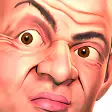
CrazyTalk is a useful tool that lets you create animation and add audio to facial images.
Overview
Digital animation technology has improved so much that it’s now possible to animate your own talking heads from your home PC. CrazyTalk promises to give you all the tools you need to import images and photographs before quickly applying mouth, head and eye movement to create realistic looking avatars and fun animations.
At first users might be a little skeptical about the value of CrazyTalk, Give it a try though and you'll be pleasantly surprised by the power of the utility. Granted, most peoples' initial efforts with the program will likely be limited to taking pictures of friends and adding famous song or movie audio clips to them just for kicks. These first experiments in CrazyTalk will be a little clunky and look far from realistic when you rely on the automatic lip-syncing functionality.
Features
Once you delve deeper into CrazyTalk's settings though, you'll start to realize that you can actually produce some impressive animations.
With enough tinkering you can customize everything in CrazyTalk, from the teeth in the character’s mouth to their facial movements and their range of movement. Best of all is the built-in timeline, which gives you complete control of the animation and sound, much as you would do in Flash, or a video-editing suite.
CrazyTalk offers alpha channel support, making it ideal for producing talking images to welcome visitors to your web site or in presentations. The simple-to-use export facilities also allow you to save to a range of formats as a media file, email attachment or a personalized greeting.
There are a few flaws with CrazyTalk that are a little frustrating though. The auto lip sync feature isn't all that impressive or accurate, for one, and there's no support for MP3 format audio. There also aren't all that many preset templates to work from, which might be bothersome to some users.
CrazyTalk requires some getting used to, but once you get the hang of it you'll be able to create unique facial animations.
























User reviews about CrazyTalk
by Solo Gaming
this is a very fantastic editor
outstanding
awesome
-sanjib goswami
by Anonymous
i like using crazytalk.
it is nice and crazy as it sounds and i love it it gives me courage
Pros: the changing of vioce
Cons: nothing More
by Anonymous
To Expensive.
It's pretty cool, but these days who in the world has that kind of money. I downloaded a version a few yrs ago is how I remembered it, but it wasnt as high as it is now. So, as far as the cons on this are:Syncing is off bad, the price is outrageous and if I had that kind of money shooot I could have my own prg made lol.I think it should give you more images to try with it and more choices of the voices. To bad lost a sale!
Pros:
It's pretty cool, but these days who in the world has that kind of money
Cons:
Syncing is off bad, the price is outrageous and if I had that kind of money shooot I could have my own prg made lol.
I think it should give you more images to try with it and more choices of the voices. To bad lost a sale! More
by Anonymous
Much more then I ever could have expected..
Hi,Just to put my best to what I experience in the use of this program was more fun and a endless amount of idea's that came from using CrazyTalk 6.0
At this moment I'll be obtaining this program,cause if you like to make thing happen to the affect of Hollywood type of design's and put them on the web or sent to friends,then this is the one program that you can start out with,and enjoy every minute. Pros:
I only used the trail,but it give you enough to get a good idea of how much you can do with this program.
Cons:
The only thing I can think of is how much time you want to put into this program in order to learn all of the treats that are in this program?This isn't a con,it more like your learning ability. More